How to use this prompt on Google Gemini
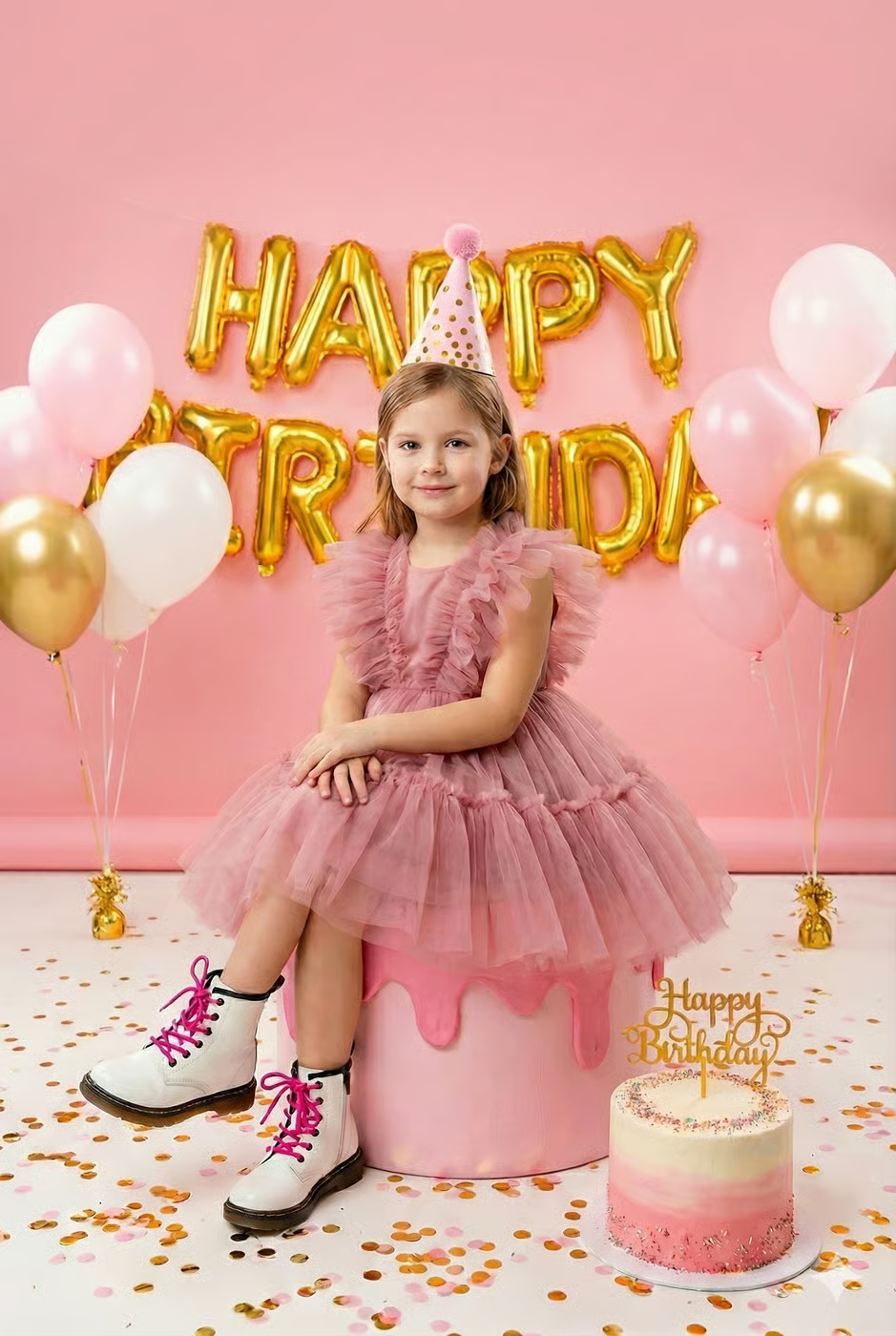
📝 Prompt: Birthday Bliss in Pink
Create a bright, high-key, professionally shot studio birthday portrait based on the provided reference image with strict face + age + identity match (no beautification, no identity drift, no stylization).Subject & Sitting Angle (IMPORTANT)A young girl (about 4–10 years old) sits on a large pink cake-shaped prop. Her body is angled slightly to the viewer’s left (about 10–20°) while her face remains turned toward the camera, giving a gentle 3/4 seated pose. She sits upright with a clean posture, shoulders relaxed, hands softly folded together on her lap, legs hanging down naturally with both boots fully visible.Outfit & AccessoriesSleeveless dusty-rose pink dress with multiple layers of soft, voluminous tulle ruffles spread outward while seated. White combat-style boots with thick black soles and bright pink laces. Pink cone party hat with gold polka dots and a fluffy pom-pom on top.Scene & PlacementSoft pink studio wall background with gold foil balloon letters spelling “HAPPY BIRTHDAY” hanging behind her. Balloon clusters on both sides: pastel pink, matte white, and metallic gold balloons, some floating in the air held by visible strings, and additional balloons resting on the floor. Pink floor covered with scattered gold/pink confetti. A real two-tier cake sits on the bottom-right floor, pink-to-white ombré frosting, sprinkles around both tiers, and a gold “Happy Birthday” topper.Brightness & Lighting (VERY BRIGHT / HIGH-KEY)Use strong, bright high-key studio lighting with large softboxes from the front and slightly above, creating clean, even illumination with minimal shadows. The overall image should feel bright, airy, and pastel, with soft highlights, clear subject visibility, and crisp detail. Add natural eye catchlights and gentle background falloff while keeping the entire scene well-lit.Camera & Quality4:5 or 2:3 aspect ratio, centered vertical composition, subject in sharp focus, shallow-to-medium depth of field with slight background softness. Ultra-clean professional kids birthday photography, realistic textures, studio-grade clarity, 4K quality.
📖 Step-by-Step Instructions
💻 On Desktop (Computer)
- Click "Copy Prompt" – the button will show a loader and then confirm the copy.
- Click "Open Gemini (Web)" to launch Google Gemini in a new tab.
- Paste the prompt into the chat box (Ctrl+V / ⌘+V).
- If you want to transform an existing photo, upload it using the Gemini interface (paperclip or "+" icon).
- Press Enter and wait a few seconds for the AI to generate your stunning image.
📱 On Mobile (Phone/Tablet)
- Download the official Google Gemini app from the Google Play Store (Android) or the Apple App Store (iOS).
- Open the app and sign in with your Google account.
- Tap the chat input area, then long-press and select "Paste" to insert the copied prompt.
- If needed, attach a photo using the attachment button (paperclip or image icon).
- Tap the send button and watch the AI create your image.
💡 Tip: You can modify the prompt before sending to better suit your needs.