How to use this prompt on ChatGPT
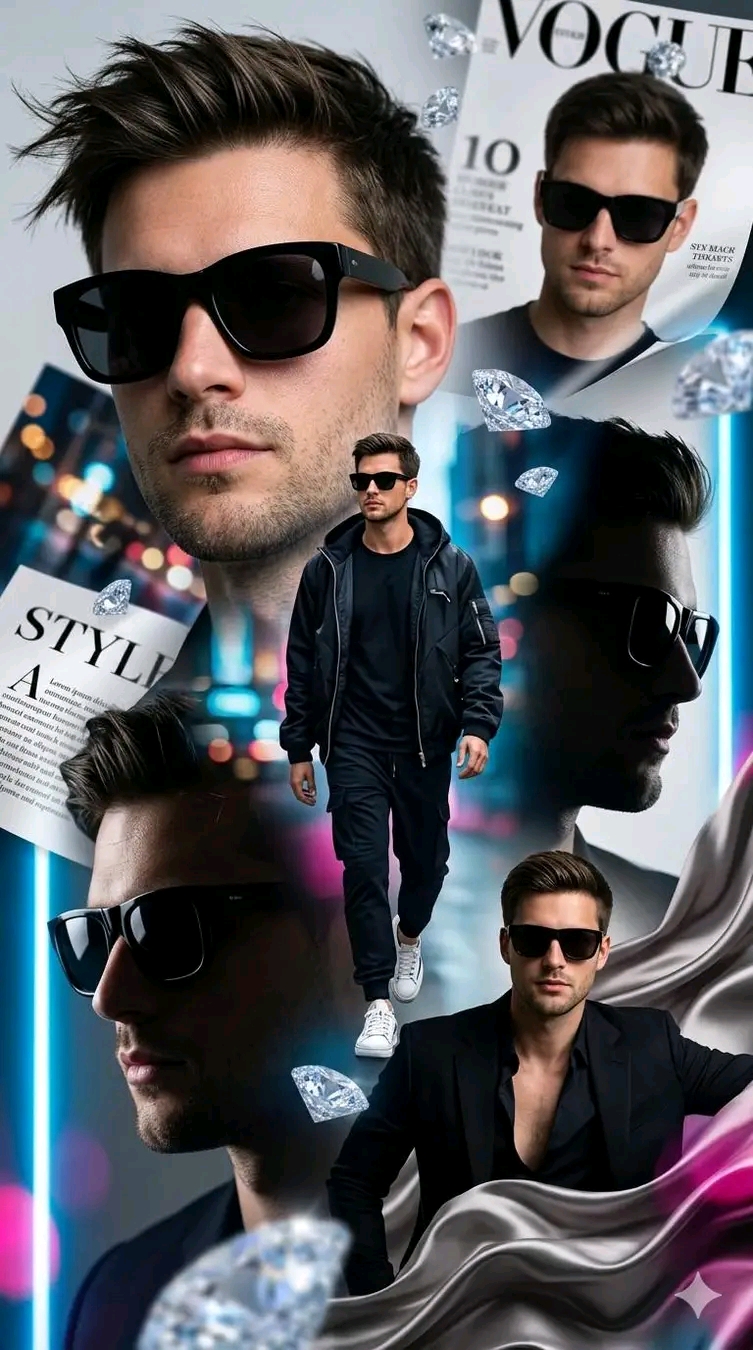
📝 Prompt: Ultra-luxury fashion editorial collage
Ultra-luxury fashion editorial collage featuring the same handsome male model in multiple poses and compositions. Large close-up portrait wearing black designer sunglasses, stylish textured hair, sharp jawline, flawless skin. Multiple overlapping images including side profile, magazine cover appearance, full-body walking pose in a black streetwear outfit and white sneakers, and elegant formal portrait in a black suit. Floating diamonds and luxury fashion magazine pages scattered throughout the composition. Neon city lights and colorful bokeh background, cinematic lighting, premium Vogue-style photoshoot, high-end advertising campaign, luxury lifestyle aesthetic, glossy magazine layout, dramatic depth of field, ultra-detailed, photorealistic, hyper-realistic skin texture, professional fashion photography, sharp focus, 8K resolution, masterpiece, luxury branding, modern editorial design, sophisticated color grading.
📖 Step-by-Step Instructions
💻 On Desktop (Computer)
- Click "Copy Prompt" – a loader will appear then the button confirms the copy.
- Click "Open ChatGPT (Web)" to launch ChatGPT in a new tab.
- Paste the prompt into the chat box (Ctrl+V / ⌘+V).
- If you have a ChatGPT Plus subscription, you can use DALL‑E to generate images – upload your photo when prompted.
- Press Enter and let the AI create your masterpiece.
📱 On Mobile (Phone/Tablet)
- Download the official ChatGPT app from the Google Play Store (Android) or the Apple App Store (iOS).
- Open the app and log in to your OpenAI account.
- Tap the chat input, then long-press and choose "Paste" to insert the copied prompt.
- If you want to use an image, tap the attachment icon (paperclip or image) and select a photo from your gallery.
- Tap the send button and wait for the AI to generate the result (requires ChatGPT Plus for DALL‑E image generation).
💡 Note: For image generation, ChatGPT requires a Plus subscription and the DALL‑E model. The prompt works best when you provide a reference photo.