How to use this prompt on ChatGPT
📝 Prompt: true to life exact likeness
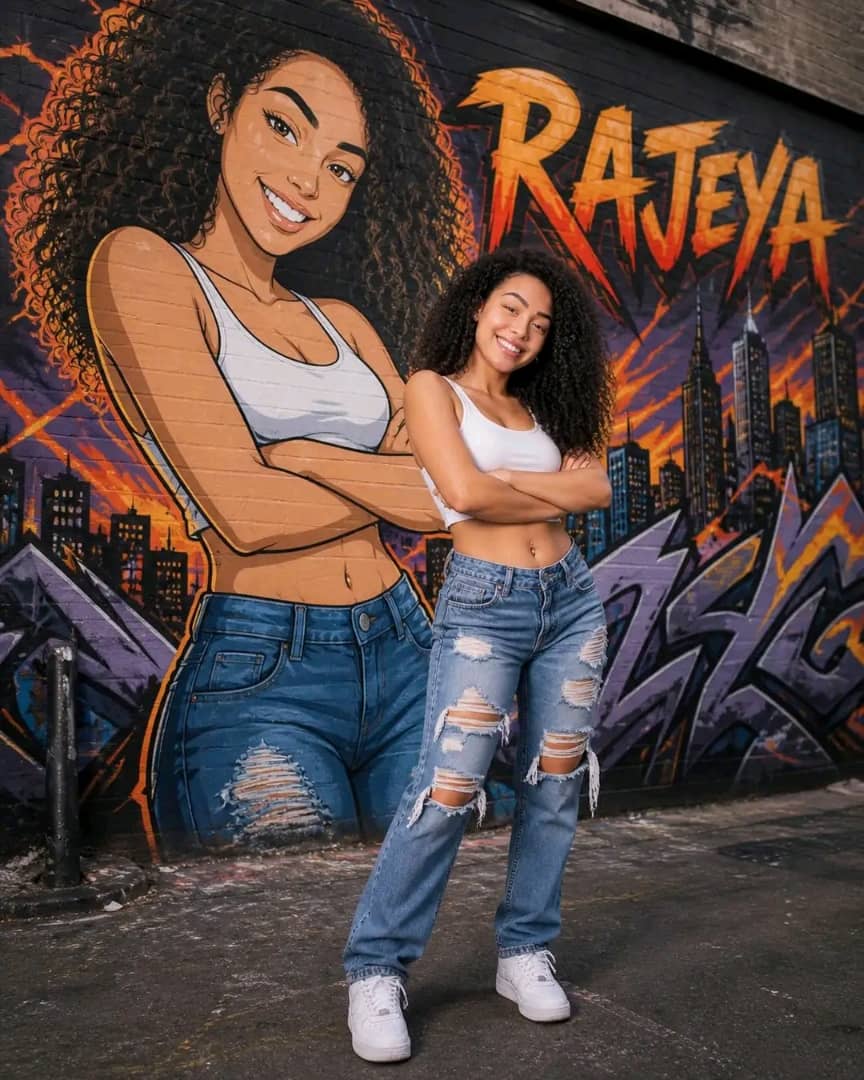
Create true to life exact likeness of the picture provided image with a high-resolution full-body shot of a young woman with curly hair, standing confidently in a gritty urban alleyway. She is posed with one leg slightly forward and arms crossed, giving a bold, self-assured expression. She is wearing a fitted white cropped tank top, high-waisted ripped denim jeans, and clean white sneakers, mirroring a massive anime-style graffiti mural behind her. The mural features an identical character in a bold manga art style with text ‘RAJEYA’, vibrant orange flames, and city skyscrapers. Cinematic lighting, urban street photography style, shot on 35mm lens, hyper-realistic textures on the clothing contrasting with the vibrant 2D street art.
📖 Step-by-Step Instructions
💻 On Desktop (Computer)
- Click "Copy Prompt" – a loader will appear then the button confirms the copy.
- Click "Open ChatGPT (Web)" to launch ChatGPT in a new tab.
- Paste the prompt into the chat box (Ctrl+V / ⌘+V).
- If you have a ChatGPT Plus subscription, you can use DALL‑E to generate images – upload your photo when prompted.
- Press Enter and let the AI create your masterpiece.
📱 On Mobile (Phone/Tablet)
- Download the official ChatGPT app from the Google Play Store (Android) or the Apple App Store (iOS).
- Open the app and log in to your OpenAI account.
- Tap the chat input, then long-press and choose "Paste" to insert the copied prompt.
- If you want to use an image, tap the attachment icon (paperclip or image) and select a photo from your gallery.
- Tap the send button and wait for the AI to generate the result (requires ChatGPT Plus for DALL‑E image generation).
💡 Note: For image generation, ChatGPT requires a Plus subscription and the DALL‑E model. The prompt works best when you provide a reference photo.