How to use this prompt on ChatGPT
📝 Prompt: premium luxury fashion editorial poster
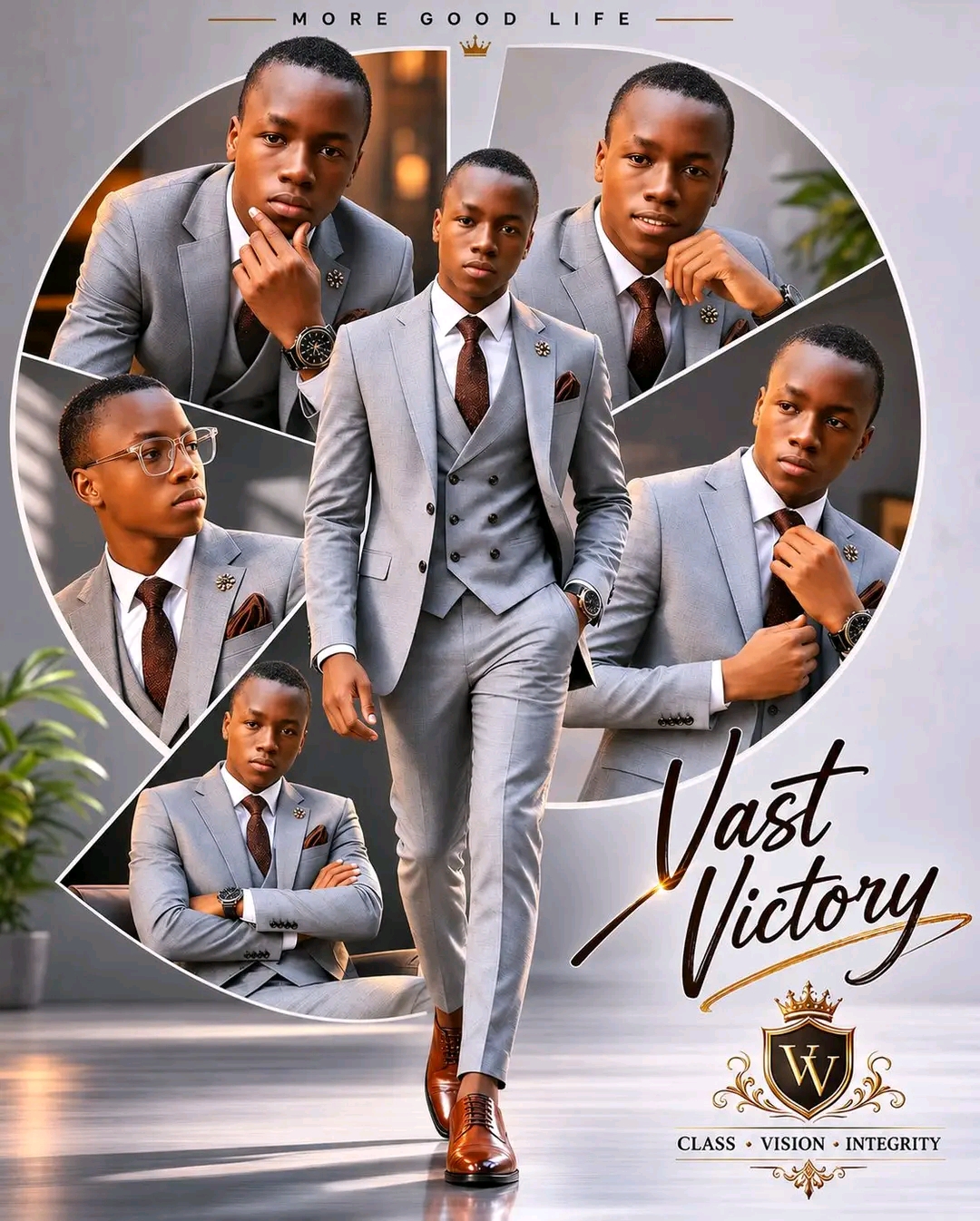
Create a premium luxury fashion editorial poster featuring the same man from the reference image with perfect facial identity preservation across all portraits. The design should have a clean light-grey studio background with a sophisticated minimalist aesthetic.
At the center, place a full-body portrait of the man confidently walking forward. He wears a tailored light-grey three-piece suit with a double-breasted vest, white dress shirt, dark brown tie, matching pocket square, and polished brown leather Oxford shoes. One hand is casually placed in his pocket while the other swings naturally. Expression: calm, confident, successful, and refined.
Behind him, create a large circular collage divided into multiple geometric segments. Inside each segment, display different upper-body portraits of the same man from various angles and expressions:
Looking directly at the camera with a confident smile
Looking to the side thoughtfully
Adjusting his tie or collar
Professional business pose with folded arms
Elegant profile view wearing stylish transparent eyeglasses
Maintain 100% facial consistency across every portrait.
Typography:
Small uppercase text at the top: “MORE GOOD LIFE” with wide letter spacing.
Large elegant handwritten signature-style text at the bottom right displaying the name " Your name”.
Add a small luxury emblem or badge underneath containing the words:
“CLASS • VISION • INTEGRITY”
Style:
Luxury men’s fashion campaign, premium magazine cover, corporate elegance, executive lifestyle branding, clean composition, geometric circular layout, minimalist design, high-end editorial photography, soft studio lighting, ultra-sharp details, realistic skin texture, photorealistic, fashion advertisement, luxury menswear catalog, professional color grading, 8K UHD, masterpiece quality.
Aspect Ratio: 4:5 vertical.
At the center, place a full-body portrait of the man confidently walking forward. He wears a tailored light-grey three-piece suit with a double-breasted vest, white dress shirt, dark brown tie, matching pocket square, and polished brown leather Oxford shoes. One hand is casually placed in his pocket while the other swings naturally. Expression: calm, confident, successful, and refined.
Behind him, create a large circular collage divided into multiple geometric segments. Inside each segment, display different upper-body portraits of the same man from various angles and expressions:
Looking directly at the camera with a confident smile
Looking to the side thoughtfully
Adjusting his tie or collar
Professional business pose with folded arms
Elegant profile view wearing stylish transparent eyeglasses
Maintain 100% facial consistency across every portrait.
Typography:
Small uppercase text at the top: “MORE GOOD LIFE” with wide letter spacing.
Large elegant handwritten signature-style text at the bottom right displaying the name " Your name”.
Add a small luxury emblem or badge underneath containing the words:
“CLASS • VISION • INTEGRITY”
Style:
Luxury men’s fashion campaign, premium magazine cover, corporate elegance, executive lifestyle branding, clean composition, geometric circular layout, minimalist design, high-end editorial photography, soft studio lighting, ultra-sharp details, realistic skin texture, photorealistic, fashion advertisement, luxury menswear catalog, professional color grading, 8K UHD, masterpiece quality.
Aspect Ratio: 4:5 vertical.
📖 Step-by-Step Instructions
💻 On Desktop (Computer)
- Click "Copy Prompt" – a loader will appear then the button confirms the copy.
- Click "Open ChatGPT (Web)" to launch ChatGPT in a new tab.
- Paste the prompt into the chat box (Ctrl+V / ⌘+V).
- If you have a ChatGPT Plus subscription, you can use DALL‑E to generate images – upload your photo when prompted.
- Press Enter and let the AI create your masterpiece.
📱 On Mobile (Phone/Tablet)
- Download the official ChatGPT app from the Google Play Store (Android) or the Apple App Store (iOS).
- Open the app and log in to your OpenAI account.
- Tap the chat input, then long-press and choose "Paste" to insert the copied prompt.
- If you want to use an image, tap the attachment icon (paperclip or image) and select a photo from your gallery.
- Tap the send button and wait for the AI to generate the result (requires ChatGPT Plus for DALL‑E image generation).
💡 Note: For image generation, ChatGPT requires a Plus subscription and the DALL‑E model. The prompt works best when you provide a reference photo.